About PM4Web

The PM4Web blog was born as an outlet to return knowledge back to the web development community. My goal is to share my experiences as a project manager from over the years in a manner which helps you succeed with your own projects.

25 January, 2023

The Buffet that is PRINCE2

I like to think of the PRINCE2 methodology as a buffet - there's so much to choose from, but we couldn't possibly eat it all.

The reason I liken PRINCE2 to a buffet is because it offers a plethora of tools designed to help with any kind of project (not just software development).

You pick and choose what you need on a particular project based on the project size and needs. Trying to use everything in PRINCE2 would be like trying to eat everything at a buffet (you'd probably be asked to leave the restaurant if you tried).

Where the buffet/PRINCE2 analogy starts to break down is when you consider you choose food at a buffet based on your tastes. Some people like roast pork and fill their plate, whilst others may not like it at all.

You don't choose PRINCE2 protocols based on taste (i.e. whether you like the tool or not). You choose based on the appropriateness of the tool to the project. Or do you? Would one project manager avoid a particular protocol out of PRINCE2 simply because he doesn't like it, even though another PM would judge it perfectly suitable if he was running the same project?

Why would such a thing happen? Surely the tools present in PRINCE2 are objective patterns, tried and true - they should work always when applied correctly and appropriately.

Take a change request budget for example. This particular tool is great for plugging a gap present in software development's waterfall model. It could be argued that the application of agile principles would negate the need for a change request budget, but we are focusing on PRINCE2 here.

A change request budget works by reserving an agreed upon pool of money for changes which may (will) crop up during the course of a project. This can be good because it averts the problem of a project going over-budget when new things are added along the way. But it can also be bad because it almost encourages stake-holders to change their minds mid-project; why not, the money for the change has already been budgeted? The other problem is the knock on effect changes have on delivery time.

Say there is a project where a PM does institute a change request budget and has a bad experience with it (e.g. it causes a delivery date to slip). They may become gun-shy about using it again. Isn’t this like having a bad experience with a particular kind of food? What if you get a 'bad oyster'? After the food poisoning subsides, you vow to never touch oysters again. Other oysters may be perfectly fine, so why are all oysters everywhere being punished?

Is the moral of the story to judge all PRINCE2 tools worthy upon the start of a new project, in spite of bad past experiences? From an evolutionary stand-point, when we eat something that doesn't agree with us, we develop an aversion to that food henceforth as a protection mechanism. But what if it was just us, what if we used the tool incorrectly? When we sniffed that oyster at the buffet and it smelled bit dodgy, why did we go ahead and eat it anyway?

24 February, 2022

Technology is Easy, People are Tough

Man vs Machine

Recently I've been thinking about my career as a technical project manager and business analyst over the years.

What I've come to realise is that technology isn't the hard part when it comes to building software, it's the people.

Let me qualify that statement by saying I don't mean customers are a pain, or anything of a pejorative nature relating to people on a project. What I mean will become more apparent as you read on.

I think we're all aware that anything you need of a technical or factual nature can be found online, in a book, in a blog post, or in a YouTube video.

All the knowledge is out there, you just have to look and you will get a definitive answer on how to do something, or how to deal with a problem.

If you want to know how to connect your website to a third party web service, you contact the vendor and ask for their API. Bang, the programmers send you the documents which explain how to talk to their service.

You want to know what the best pattern is for dealing with spam, you can research it and find plenty of answers. As to what the 'best' answer is, that may be subjective. But consider you started from a point of not knowing anything, and now you have lots of options to choose from.

Say you're getting a weird error message in Windows. Looking at the error message itself gives no clue as to what to do next. But chances are someone else out there has experienced the same problem. Simply type in the exact error message into Google and within minutes you'll discover other people have run into the same dilemma. Rather than having to bungle around trying to figure out how to fix the problem yourself, you can see how other people solved it - "oh, I need to update my Java Runtime Environment. Is that all."

My point is this - chances are you can always find a solution online to a technical challenge. Things aren't so simple when it comes to what I'll term 'people problems' for the sake of this article.

If you were to type into Google: 'Harpreet never seems to contribute to team meetings. He's a smart guy, why doesn't he ever say anything?". There is going to be zero chance you will find a blog article or YouTube video explaining exactly how to fix your 'shy team member' problem, at least nothing specific to Harpreet and your circumstances.

Let's follow along another fictional scenario. For reasons unknown to you, Alice and Alfonse just don't seem to collaborate. It's not that there's open antipathy or anything, they just don't take opportunities to cross-pollinate, bounce ideas off each other, that sort of thing. Once again, you are going to get nothing from Google if you ask it: 'why won't Alice and Alfonse collaborate?'

You can see pattern to the scenarios I've presented, these are people problems, not technology problems.

You probably can find general advice on solving such matters online, but you'll never find an actual answer like you get with technology questions.

Will you get better at solving these 'people problems' if you read books like: How to Win Friends & Influence People (Dale Carnegie),

Never Eat Alone
(Keith Ferrazzi), Words That Work (Frank Luntz), and so on.

Definitely yes - and I recommend these books especially for people who aren't naturally extroverted. I think these are undeveloped skill for most people, so called soft skills. The reason is because this skill is hard to cultivate, and you can't get quick easy answers.

As a result of this realisation my reading has leaned more towards books about people rather than just technology. Sutherland's Scrum: The Art of Doing Twice the Work in Half the Time is a good example of this, it’s got a heavy people focused, rather than being a prescriptive 'do this, do that' kind of book. It does have some of that in there too, but it's not the focus.


05 November, 2014

Information Architecture for the Rest of Us

For the sake of simplicity, let's just say Information Architecture means your navigation structure or the menu on your website. Now before all you IA experts out there grab your pitch-forks and prepare to storm the castle, please realize this article is directed at 'normal people', business owners who've had websites made and their developer contributed nothing towards helping them design a well thought-out navigation structure. This often happens because a web developer is a programmer, not an IA specialist (fair enough really, but still a problem).

The only thing I'll add by way of a simplistic explanation as to what IA is is this: it's also about how information is organised on your website, not just how you get to it.

The point of this article is to help people handle their own IA, and this is definitely possible. I personally don't believe basic IA is rocket surgery, anyone can understand it - there's no highfalutin technology concepts involved, or vague terms like 'on the cloud'. Most of it is just common sense, understanding your audience, and adapting your website to accommodate them ← that is the key point. Basic IA is about arranging your navigation and information in a way which best serves your audience.

Navigation design is about organizing information so: 1) people can find it (using their logic, not yours), and 2) successfully disseminating the information you want to get out there.

The 'disseminating information' part may sound peculiar, even contradictory considering I've just said it's about making information easy for users to find. Consider this though; you may be a charity organization and are required to make available certain information to satisfy government regulations. Or, there could be rules about using your website you need to tell people about. With this kind of information, most people (visitors) aren't interested in it, but it still needs to go up somewhere.

Now that the 'disseminating information' portion is out of the way, let's focus on how to 'do IA' on your website. The easiest way I believe is to approach the task by viewing your visitors in terms of customers. This still can be done even if people don't actually buy something from your website (i.e. I'm using the word 'customer' interchangeably with 'visitor').

Once you break down your visitors into different types of customers, you can start designing your menu structure and organizing your text to serve their needs. Some people will only have one 'customer type', whilst others will have four, five or more. The more 'customer types' you have, the trickier it gets to do IA (not impossible though, just more thought is required).

Let's take an online learning centre as an example. A website which offers online courses in areas such as English, mathematics, and so on. If we were to break down the major types of customers they have, we might come out with this: 1) students, 2) teachers.

Students are the ones using the website to access material such as study notes, quizzes, etc. Teachers are the ones that login and create the courses, answer questions from students, run webinars, and so on. Now this is a good starting point, but you may have noticed something. There is actually a sub-division to the concept of a 'student'. And this is very important. You can have a prospective student, someone who isn't a student yet, but would like to become one. This is subtly different to someone who is already a student. And the reason why this is important is because their needs are acutely different. On the one hand, a prospective student is probably going to be interested in what the enrollment fees are. Where-as an enrolled student is going to be interested in accessing online resources.

Identifying and understanding the different customers of your site is the key. Once you know this, you'll make reasoned decisions about what your menu structure should be like. This is why you sometimes see classifieds-style websites with very overt navigation elements like 'For Buyers' and 'For Sellers' ← they know these are users with very distinct needs.


Thinking about your information in terms of satisfying needs (or helping different types of people complete their particular tasks) is what will guide you when designing your menu structure, including what to name pages and where to put text.

29 October, 2014

If You Build It, They Will Come...

There's a belief out there that if you have a good idea for an online business, build the website and users will magically appear (what I call the "if you build it, they will come" mentality).

This worked for Kevin Costner in Field of Dreams, but for the rest of us that don't live in fantasy land, it doesn't turn out that way.

It's tricky to talk about this topic because it makes me sound like a kill-joy or naysayer. I don't like to stand in the way of anyone's dream, whatever it may be.

However, I often come across websites which obviously look unnurtured or abandoned (e.g. you do a search in major city for something and it comes up with '0 results'). The only thing missing is a Flash animation of a tumble-weed rolling across the screen.

For whatever reason, the site hasn't been successfully commercialized. My guess is usually that the business owner has spent all their money on technology, probably outsourced it overseas because it was too expensive to get done by a local digital agency. They most likely haven't budgeted for any significant form of promotion or marketing. This is like taking a raft to a river without a paddle, and thinking the current is going to get you across to the other side.

And this is what I mean by the "if you build it, they will come" mentality. Maybe this worked back in 1997 when there weren't many websites around to compete against, but now, big companies pour huge amounts of cash into promotion - competition is exceptionally fierce. Of course, in the absence of big dollars for TV spots, there's always viral marketing, but for most people this is easier said than done.

Another factor which hamstrings a website before it's even launched is the revenue model. Trying to charge people a subscription fee on an unproven platform is an uphill battle. What about banner advertising then? That's probably not going to work because the site doesn't have high enough traffic yet. A hall-mark of the current web epoch are websites that charge nothing (often they are looking for traction, then a buy-out later down the track). If established competitors are offering their services for free, then how on earth can a low traffic start-up hope to gain a foot-hold by launching and asking users to pay?

It's the dot com dream which lures people to the idea that web is easy money; this simply isn't the case. Sure, it costs far less to establish a website compared to opening a bricks and mortar shop. There's no factory equipment to buy, no materials used in production, cheaper insurance, etc. That's great, but you can have the most fantastic product in the world, but if no one knows about it, it's destined to fail.

I guess the point of this article is to not view a new website idea just in terms of the cost of the technology (i.e. paying programmers to build the thing). I often say to clients: "whatever budget you have for the website, have that again for marketing." The other advice I give people is this: "technology is the easy part, getting people to use the website is the hard part". Actually, the technology often isn't that easy when it comes down to it, but it's a relative measure - whatever headaches are experienced during the build phase, they are nothing compared to what's to come once the site is launched (i.e. attracting customers).

Does this mean it's all doom and gloom? Don't bother investing in a start-up idea, too hard, don't try? No, I don't believe that, I've partnered with business owners to developer online software knowing full-well the marketing budget was tight. Am I also guilty of the "if you build it, they will come" mentality? Perhaps, but the difference is I at least know before-hand visitors won't magically appear after launch.

01 September, 2014

Are You Missing Out on Maintenance Dollars?

About 6 years ago I wrote an article explaining the support/maintenance system I use ('Maintenance Blocks' - Managing Change Requests). Back when I wrote the original article, the method was untested. I'm happy to report that it has turned out to be a solid and workable approach. To some degree this article is a follow-up, but I'll go into other methods in common use by freelancers these days for capturing those maintenance dollars.

A Quick Re-cap
There's a pervasive problem in the web freelance community when it comes to charging for support time, especially amongst those new to the world of contracting. The result is that freelancers miss-out on hundreds if not thousands of dollars each year in maintenance revenue they should be getting. The primary reason for this is thinking it's somehow bad to charge clients for 'quick bits of work'. Let's take a very realistic example, a client says: "hi John, can you update my company's phone number in our footer, thanks". For whatever reasons, the client doesn't feel like logging into the CMS and doing it themselves (still very common, no matter how easy CMSs get). Now, for a web developer this is about 3-5 minutes work, perhaps rounding it to 10 minutes when you include navigating to the particular client's website, logging into the CMS, and sending a confirmation when the task is done.

How do you bill for that 10 minutes? Do you send a client an invoice for 10 minutes worth of work? Not only is that a great way to alienate your client, but you're wasting your time and the client's time by adding unnecessary bureaucratic overhead to your day. What's that I hear you say? Why not just round up, have a policy of 1 hour being the minimum billable time for your work. Sure, you try that, send a client an invoice for $60 for 10 minutes worth of work, see how long that business relationship lasts.

So does that mean you should let it slide, it's just 10 minutes - chalk it up to good client relations right? Well, no, now you're not getting a fair deal there either. It all adds up, in a year, if you do four small tasks for a client, and they each take 15 minutes, that's an hour of legitimate billable work you've missed out on.

Hence the development of the 'maintenance blocks' protocol. This solves both problems where a freelancer isn't missing out on revenue, and a client isn't bugged with small invoices. In a nut-shell, the concept is like this: get a client to buy 'support hours' before-hand. Then when they ask for small pieces of work, you 'consume' these hours to undertake the work (with 15 minutes being the smallest 'consumable chunk').

From extensive use, I've found that clients are amicable to purchasing 2 hour blocks of support time each time. In a year, about 50% of my clients will purchase a second 2 hour block of support time. I have one large corporate client that buys 20 hour blocks, and they tend to use that up in 6-8 weeks (they're very active with upgrades and support requests).

I've encountered very little negative resistance to the 'support hours' system, business people can understand it and find the fairness in it. They 'get' how it works. They have a pool of support time, as they make requests, it decrements the time - everyone's happy.

There are other models for capturing support revenue out there, they are actually more profitable compared to the 'pay-per-task' approach I use, but personally I think the client gets a raw deal with these other systems. You may ask: "why wouldn't you use the most profitable mechanism for you?" I have my reasons, but suffice it to say that in the end it's up to the individual to decide what system they should use - but the key point is some system should be used.

Let's take a look at other common support models out there. An on-going monthly subscription plan is common here in Australia, especially when the website itself is built cheaply (i.e. the revenue model is based on recouping money over time, and then passive revenue into the future).

Another structure is where developers base support around charging a large amount for yearly hosting (more than the actual cost of hosting). Again, this provides passive revenue. Most business owners aren't aware of the price of hosting, that it usually costs next to nothing. So to receive a bill annually for $200 won't appear unusual.

On-going subscription payments are more profitable in the long run (hence why it's favored by so many web agencies). But I think these systems are unfair on the client, call me old fashioned, but I only like to ask clients for payment when I've actually done something for them.

I have a few closing notes I wanted to share regarding the maintenance protocol I use. I now refer to it as just 'support time' or 'support hours'; this is far more understandable to average clients compared to 'maintenance blocks' (← what was I thinking when I came up with that name?). Another improvement I made is to display the remaining amount of support time in each client's CMS:


By doing this, a client knows how much time they have up their sleeve, and it won't be a surprise when it comes time to 'top-up'.

With my more 'corporatey' clients, especially those that buy large chunks of support time, I have a 'maintenance log' page in the CMS which they can see. When I do work, I go in and add a line saying what I did and how much time it consumed (e.g. "1 hr - SEO RE title tag updates"). This is akin to timesheets you could say. The reason I do this is so the client feels confident about where their time has been going. I think this is important when you are asking a client to shell out over a thousand dollars to buy 20 hours of support time upfront. I know this sounds like a hassle, and to me it comes pretty easy considering I am a project manager. But when you send a client an email saying: "can I invoice you for another 20 hours of support time?" and they just say: "sure, go ahead" - it's all worth it. In that email, I also include a screenshot of the maintenance log, showing how their previous 20 hours had been used.

In situations where you're dealing with corporate clients, I'd encourage you to provide this level of tracking, budgeting is a key responsibility for decision makers in these environments. Arm them with the facts and your worth won't be questioned in your absence.

I've noticed over the years that even though I give clients a very easy-to-use CMS, about 80% of them still get me to do even the most basic updates for them. And this is exactly why a 'charge-per-task' support system is great.

Hopefully this revisit of the support system I use has been helpful to budding freelancers out there. Remember, your time is valuable just like everyone else, you deserve to be paid for the fruits of your labor. Don't undervalue your skills, but also don't take advantage of clients who've put their trust in you.

01 May, 2014

Customization and Change in Software Development

For years I've been looking at APIs and protocols which speed up development but still confer a high degree of customization. Components, code libraries, CMSs and other such pre-packaged modules help with speed, but by their very nature they can stifle customization. By no means am I saying libraries aren't flexible, the good ones are, but sometimes the investment required to go 'off road' is so close to custom coding, you lose the initial benefit of using a library.

In a simplistic sense, the problem is illustrated by situations in which a client asks: "can you change this to...". Regardless of what development methodology you're using it, be it Agile or Waterfall, the time to make the change has to come from somewhere. What's that I hear you say: "don't worry, we have a change request budget factored into the project". That's good, very PRINCE2 of you, and for the most part this works great for small changes. What happens when a change request budget is exhausted, then what? You're in a situation where you have to ask for extra budget to cover off-spec work. Maybe you'll get the extra money, maybe you won't. Or you could take an Agile approach and say: "OK, we can put that in, but we have to drop another feature to cover the resource short-fall".

Although that scenario may sound perfectly reasonable to you and me, my experience has been that it's hard to convince clients to give up a previously agreed feature. It's like trying to get candy off a kid in a supermarket, once it's in their vice-like grip, they'll throw a tantrum should you try separating them from their prize. I do understand why it's a flawed proposition to say to a client: "if you want that feature, you'll have to sacrifice another." Why would they, they've thought up a good new feature, it has no connection to any other feature which was previously planned. It's a perfectly logical argument from an Agile perspective, we have limited resources, if the resources aren't increased, we need to trim back on previously agreed features.

This issue isn't as problematic for teams developing in-house software, they know and accept Agile principles, they can come to terms with dropping a good feature for a better one. But business owners aren't software designers, why should they understand this particular Agile concept? It's prioritization, and not everyone is good at that. Then there is the extreme version of this, Minimal Viable Product (or MVP). Anyone who can successfully sell that idea to a client should change their business card title to 'Lord of the Software', they are true smiths of the trade in my view.

Enter WordPress, Our Savior...
Let's say WordPress is currently viewed as a fabulous way of solving the problem of development speed + customization. It's all about pre-fabrication and bolt-on modules. The reality is WordPress isn't immune to the problem of customization, it's just faster at it. No API or code-base can perfectly predict and cater for the permutations that make each individual businesses unique. Plug-ins are essentially pre-packaged implementations of a [design] pattern, this is what WP excels at, but doesn't totally solve the problem of fast customization when it comes to deviations caused by unique business requirements.

Let's return to a statement of the problem: clients need customization in order to suit their specific business needs. What if we were to mangle this and say: "clients change their mind because they don't know what they want, thus putting strain on resources and injecting unpredictability into the project." I know saying "clients don't know what they want" sounds bad, but what it really means is business owners don't understand the software development process, nor should they. Does this then become a matter of 'education' - you could try that, but someone's got to be willing to learn in order to take in something new. Having the 'teach the client about software development' mentality leaves a lot to chance. Don't get me wrong, I try indoctrinate clients into the world of software development as much as I can, but I don't rely on this as a sole means of steering a project in a predictable manner (nor should you).

I've been trying to reduce the potential of clients changing things as much as possible from the onset. I do this by really probing them early on in the project, it's not just a matter of asking lots of questions, but rather the right questions. The goal is to avoid the potential for change once the project is underway. Now, this is only possible to a certain extent, you'll go crazy trying to cater for all situations. So if you can't know all possible outcomes ahead of time, what else can you do to instill predictably?

One approach I've been using for year which is very much in the spirit of Agile is suggesting options rather than asking the client exactly what they want. I know this may sound counter-intuitive, but sometimes it's easier to tell someone what you don't want, rather than what you do. The premise being that by removing the unwanted options, you're left with a pool of viable options. In practical terms, it's the difference between saying: "how do you want this?" compared to "we can do it this way... or this way... or another option is...".

By taking this approach, you reduce the risk of stakeholders changing their mind later down the track (reduce, not remove). By offering possibilities, you're helping with the issue of the client not knowing what they want (maybe they don't know what's possible, so you tell them). To me this also seems like proper consultative service, rather than expecting a client to design what they want. A client should only have to tell you what the end goal is, or what task their user is trying to achieve, then it's up to the software designer to make it so.

Join RSS FeedSubscribe to RSS Feed.

20 April, 2014

Programming Style Guide for Classic ASP

The purpose of this article is to present a basic yet complete coding style guide which you can use with your development team.
General Rules
The reason why a programming team has a style guide is for the sake of conformity. In other words, even though the code is worked upon by 3-4 different people, it should all look like it’s been written by one person. Conformity leads to better maintainability in the long run (e.g. bug fixing becomes faster and adding new features gets easier).

There are 3 ‘golden rules’ which should be followed when coding on projects, they are:

1. Functions should be no more than one screen length in size
2. Don’t do anything clever
3. Don’t do anything stupid

Further explanation...

Functions should rarely be longer than one screen length in size. If you find you've written a function which is longer than one screen length in size, try break out a block of code into a separate smaller function if it makes sense to do so.

Also, if you see your function is performing two distinct tasks or operations, break it out into two smaller functions. For example; imagine you are calculating a user’s age, and then displaying their profile in the one function; that should be broken into two separate functions. This rule isn't always practical, you will occasionally get a long function if you have a large switch statement. You'll also get a long function if you have HTML/UI code to render. But at least 8 out of 10 times, functions can be written which are no more than a screen-full in size, this is definitely possible.

The reason why you should be writing small functions is utilising the OOP principle of modularisation. In the long run, this improves the maintainability of code and reduces bugs by breaking up tasks (functions) into smaller units. Imagine you have to come back to debug a block of code 3 months after writing it. Most likely your memory of the function would have begun to fade, it’s easier and quicker to get re-acquainted with a smaller block of code. Also, consider the very real possibility of someone coming back to debug your code, it’s going to be easier for them to understand a smaller block of code vs. a large slab of code.

“Don’t do anything clever” means don’t write unnecessarily complicated code. If you can write 3 lines of code which is easier to understand than 1 line of compact code and does the same thing, write 3 lines. Again, this comes back to maintainability. Someone else may need to debug your code later down the track, so do what you can to make it easier for. If it’s a very straight forward line of code, then it’s OK to put it on a single line - e.g.:

if (strFirstName = "") then Exit Function end if

“Don’t do anything stupid” isn’t about making mistakes, mistakes are mistakes - they happen, we’re all human. What we are talking about is doing things where you know better. For example: checking-in code before testing it, or not backing-up files before making major changes, or changing a password and not letting other people know about it, or having a problem with your work and keeping it to yourself, rather than telling your manager and asking for help.

CSS
This section relates to writing CSS code which is used by the software's front-end.

Class names should always be all lowercase:

Good: login_user_name
Bad: Login_User_Name

Separate each word with an underscore (not a space):

Good: login_user_name
Bad: loginusername

If you need to create a new CSS class, it must be placed in the \css\main.css file (or whatever file is considered the main CSS file for the software).

If you need to create a whole new CSS include file, it should be placed inside the \css\ folder. Creating an entirely new CSS include is rare, it would only happen if for example you were adding a large new sub-system to the project (e.g. forum.css).

CSS class names should be descriptive, but generally no longer than 3 words:

Good: menu_hover_over
Bad: m_hoverover

ASP Code
Even though vbScript is a loosely-typed language, it’s advisable to prefix variables with a data type. This occasionally helps with debugging as bugs occur due to data type mismatches.

Use the following data type prefixes:

i = for integer (e.g. iCounter)
str = for strings (e.g. strStudentName)
f = for floats (e.g. fDollarAmount)
obj = for objects (e.g. objRecordSet)
b = for bools (e.g. bRtnValue, bHasBeenDeleted)
...Arr = for arrays (e.g. strArrWeekdays, iArrProductIDs)

When using bool values, use the naming convention of bHas... or bIs... (e.g. bHasExpired or bIsVisible). This naming approach results in more readable code since you can write 'English-like' questions, for example:

if (bHasBeenDeleted = true) then...

Use camel notation for variable names:

Good: strFirstName
Bad: strfirstname
Bad: str_first_name

Generally, underscores aren’t used with variable names. The exception to this rule is global variable (which should be rare anyway), these should be prefixed with a g_...:

Good: g_strUserName
Bad: gstrUsername

Use descriptive variable names rather than short indistinct ones, but within reason. Try describing the variable within 3-4 words at most:

Good: iCounter
Good: iNumberOfStudentRecords
Bad: x
Bad: i
Bad: iTotalNumberOfStudentRecordsReturned ← unnecessarily long

It’s better to have a variable name like iNumberOfItemsToShow than iNoItems. Descriptive variable names make code more readable, which improves maintainability in the long run and reduces debugging time. Imagine you have to come back to debug your code 3-4 months in the future, the code won’t be fresh in your mind. Also, think about people who may have to debug your code, descriptive variables will help them.

When working with arrays, consider creating constants to use with them. This is especially helpful if the array is intended for use within more than one function. For example:

const EMAIL_SUBJECT
const EMAIL_MESSAGE_BODY

strArrEmailTemplate(EMAIL_SUBJECT)
strArrEmailTemplate(EMAIL_MESSAGE_BODY)

This makes it clear what data is being held in the array element. This in turn reduces the risk of bugs in the long run.

Functions
This section talks about how functions should be written within code.

At the beginning of most include files (.inc), there should be a start-up function (e.g. BlogStartUp()). This is generally used for initialising global variables used within the module/include file:

Function BlogStartUp()
  g_strArticleID = Response.QueryString("article_id"))
End Function

We use camel notation for function names, except the first letter of the function is always capitalised:

Good: LoginStartUp()
Bad: loginstartup()

Long function names are better than short undescriptive ones (within reason):

Good: GetNumberOfActiveStudents()
Bad: GetVal()
Bad: ProcessStudentRegistrationInformation() ← that’s far too long

You must use local variables as much as possible and pass values to functions, rather than rely on global values. It’s OK to use global variables occasionally, you just shouldn’t rely on them too much.

If you find you need to pass a large number of values into a function (e.g. 10+), consider passing an array of values instead. For example:

Good: Call SaveStudentData(strArrStudentDetails)
Bad: Call SaveStudentData(strStudentName, iAge, iEnrollmentStatus, iStreetAddress, strSuburb, strZip, iCampus, iGender, iCourseCode)

If you have a recordset object, you’re better off passing it to a function ByRef rather than sending a big list of parameters. For example:

Function DrawStudentSummaryList(ByRef objRecordSet)

When writing a new function, think about including some basic error checking if it makes sense. This is especially important when the function needs a passed value to work. For instance, imagine a SQL query like this within a function:

strSqlQuery = "SELECT * FROM tbl_users WHERE (status = " & iStatus & ")

What would happen if the iStatus parameter was empty? You'd get a script error. To avoid the danger of a crash, you should add a line of code at the top of the function which looks like this:

if (iStatus = "") then Exit Function end if

When a function is created specifically to return a value, prefix it with the word Get...(), for example:

Function GetAccountStatus()
Function GetNumberOfTickets()
Function GetUserFullNameByID()

Functions which perform some form of processing and then return a value should have a specific variable which has the data type plus the word ...RtnValue. For example:

strRtnValue
iRtnValue
bRtnValue

When a function is written to save a value of some kind, it should generally be prefixed with the word Set...(), for example:

Function SetActiveMenuItem()
Function SetUserLastLoginTime()

If a function contains HTML code and is rendering front-end UI of some kind, it needs to be prefixed with either Render...() or Draw...(), and post-fixed it with the word ...HTML(). For example:

RenderLoginBoxHTML()
DrawDateDropListHTML()

Query Strings
When creating query string variables to be passed via hyperlinks, they should be named all lowercase with underscores in place of spaces. If an ID is being passed, then the query string name should end with ..._id (e.g. blog.asp?blog_id=45). Query string variables should be descriptive, but generally no longer than 3-4 words in length:

Good example: <a href="blog.asp?blog_id=1">Buying a Cat</a>
Bad example: <a href="blog.asp?ID=1">Camping</a>

Form Controls
Form fields should be named in a manner which gives an indication of their control type, for example:

<input type="text" name="txt_age" value="" maxlength="8" />
<input type="checkbox" name="chk_agree_to_terms" value="1" />
<input type="radio" name="rdo_gender" value="1" />Male
<textarea name="txt_about_me"></textarea>
<select name="drp_day"><option value="1">1</option></select>

This naming convention can be useful when it comes to server-side logic. Knowing the control type helps with debugging or processing data before inserting it into the database.

Notes:

1) textbox controls should always have their maxlength attribute set 2) textarea controls use the same prefix as textbox controls (it’s just text after all).

If you need to use an ID with a control due to JavaScript interactivity, the naming convention for IDs has the control type at the end rather than as a prefix. For example:

<input type="text" name="txt_age" value="" id="age_textbox" />

<input type="checkbox" name="chk_tax" value="1" id="tax_checkbox" />

<input type="radio" name="rdo_join" value="1" id="join_radio" />Yes

<textarea name="txt_about_me" id="about_me_textarea"></textarea>

<select name="drp_day" id="day_droplist"><option value="1">...

Note: the ID attribute is named differently to the form control name to avoid confusion between the two.

File Names
This section relates to the naming conventions used for all files found within the website’s folders.

File names should always be all lower case and use underscores instead of spaces:

Good: database_connection.asp
Bad: Database Connection.asp

Longer descriptive file names are preferable to short ones which give no indication of what the file is (within reason). Usually a maximum of 3-4 words will do:

Good: duplicate_username_check.asp
Bad: dup_check.asp
Bad: perform_duplicate_username_check_operation.asp ← too long

These same rules apply for all other file types like JPEGs and PNGs (note: GIFs are rarely used these days, they’ve mostly been replaced by PNGs).

The reason for descriptive file names is it helps when trying to identify what a particular file does amongst a larger list of files without having to open up the file.

Database
This section covers conventions to be used when working with database tables and fields.

The rules for naming database tables are as follows:

• use only lowercase characters
• use underscores in place of spaces
• table names are prefixed with the letters tbl_
• table names should rarely be more than 3-4 words in length
• tables should nearly always end in ‘s’ (indicating plural)

For example:

Good: tbl_students
Good: tbl_countries
Bad: Error Code ← should be: tbl_error_codes
Bad: UniversityStudentRecordDetails ← too long

Datababase fields should follow these rules:

• use only lowercase characters
• use underscores in place of spaces
• primary and foreign keys must start with id_
• rarely be more than 3-4 words in length

For example:

Good: id_student
Good: first_name
Bad: enrolmentStatus ← should be: enrolment_status
Bad: recordID ← should be: id_record

Note: one of the reasons why primary keys always start with id_ relates to protecting against SQL-injection hacks. You can have a wrapper function like QStr() and RForm() which strip the characters id_ from strings.

When creating fields used to store a bool condition (e.g. yes/no, active/inactive, show photo/don’t show photo, etc) - use a tinyint data type rather than a bit. 1 is used to indicate true and 0 represents false. Using an int provides flexibility in case more conditions are added in future (e.g. 1 = active, 0 = inactive, 2 = suspended).

Join RSS FeedSubscribe to RSS Feed.

05 January, 2011

Agile: It's Not All Sugar & Spice

Why client education is needed when going Agile.

There is a big internal battle raging within software development today; it's between satisfying the needs of the client and safe-guarding against disaster. This shouldn't inspire a paranoid outlook, but rather invite caution and awareness.

The old way of making software, like what I was taught back at college, was to write everything down in a spec and treat that document like the stone tablets Moses brought back from the mountain. This 'big spec' approach produced long boring documents no one wanted to read, let alone write. The spec was great for developers because it protected them, at any point of deviation programmers could tell a client "if it's not in the spec, you can't have it - tough luck."

But as you can see, that isn't exactly good customer service.

Eventually Agile burst onto the scene, with its shinny snake-skin boots and promise of a better tomorrow. The method's greatest strength was its total appreciation and encouragement of the cyclic nature of software development. It was all about 'small chunking' things, favoring less yet more stable features, and demonstrating continual momentum. But this article isn't a treatise on Agile; there are plenty of books out there on that. Instead, this article focuses on the need for better education in an effort to improve a client's 'Agile experience.'

One of the biggest things Agile did was put power back in the client's hands by turning the process into a cyclical endeavor. Instead of writing up a huge spec, and then employing the 'freight train' approach to coding where there's no stopping to take account of new information, little circles of development took place (i.e. sprints).

And here lies the first potential misconception; that Agile is about 'winging it' because there's less documentation. Nothing could be further from the truth. If you gathered together all the email communiqués flying back and forth between developer and client, you'd probably find there is quite a lot of documentation. Feeding, for want of a better word, a client small chunks of information is far more digestible. In practice, this could be as simple as sending an email containing a single screenshot and asking the client "how does this look, do you need me to change anything?"

But, as with any system, there are downsides. Agile solves some problems, but introduces others. And the problems I have encountered are largely due to a lack of education. Although Agile is far more responsive to changes and gets the ball rolling sooner, it has the drawback of requiring the client to have a deeper understanding of SDLC. With waterfall model, clients didn't need to know as much.

You still get problems with 'scope creep' in Agile, mainly because the client doesn't understand how it works. And why should they? They're not programmers. Some people will take it on faith that 'this is the way it's done', and others will require an explanation. This explanation will obviously eat-up project time in the form of consultancy, and that's where the problem lies. The temptation will be to skip this investment in education (and the client is unlikely to ask either).

You may encounter a situation where a client decides to willfully disregard established protocol (it doesn't happen often, but it can happen). Because the client isn't directly part of your team, your ability to get them back on board may be limited. For the sake of keeping the piece, you may begrudgingly decide to do a substantial amount of work for free, even though your contract says you are in the right. This may be a bitter (and costly) pill to swallow, but you either believe the customer is always right, or you don't.

Mid-project is not a good time to air your grievances, in fact, no time is a good time. Your turn will come at the end of the project where you decide if you wish to keep the client or not. Or you may decide to hike-up their hourly rate to account for the increased risks involved in working with them.

Dilbert - Agile Programming

The drive for better education is all about bringing the client into your world (i.e. software development). It's simply the logical counter-part of being brought into their world (i.e. their business domain). For the project to succeed, developers must have a more than passing understanding of the client's business. So it only makes sense that the reverse also be true. This has traditionally not been an expectation in the client-to-supplier relationship, but hey, things change.

Join RSS FeedSubscribe to RSS Feed.

19 November, 2010

10 Tips for Keeping Momentum on Web Projects

Tricks for avoiding stagnation and block points on a web project.

There are many hidden perils lurking in the midst of a web project. So many little devils which conspire against you delivering on time. The nature of a project is that it is a unique undertaking, so unless you can see into the future, chances are there will be hiccups along the way.

If we know there is trouble on the horizon, then we can be prepared. The idea isn't just to have a plan ready for dealing with what maladies may befall your project, but also to use strategies to nip things in the bud before they become a problem.

To that end, I present 10 techniques I use to keep things moving along smoothly on a project. Some of these may seem counter-intuitive at first, so you will have to use your best judgment about what approaches you feel comfortable using.

Before I get into the meat of the article, I should say I'm not covering obvious things like 'use a project schedule' and 'write a spec' - if you aren't already doing that, then no amount of clever tricks will save you.

1. Get the ball rolling early on things involving third parties - a good example is live hosting, you can get seriously bogged down if you leave this until just prior to launch. If you don't have full control over the server it makes you heavily reliant on tech support to do things for you. Another example is e-commerce gateway integration. Do you really want to wait until the last minute to find out if your code is talking to the gateway provider's server properly?

2. Have settings accessible via the CMS - I've found it's preferable to have settings adjustable via the CMS rather than have them in code or in a string table. Options like Google Analytics script code could be placed inside a System Settings or Website Configuration page. Doing this lets non-technical people deal with last minute changes.

3. When there's two ways to code a simple feature, code them both rather than wait for approval - if the features each take only 15 minutes to implement, just code them both and enable one. You have a 50/50 chance of getting it right. If the client decides they'd rather have it the other way around, you switch on the alternate option (preferably via a setting in the CMS). The amount of effort you would expend going back and forth to get a concrete decision from the client is probably going to exceed the 15 minutes it would take to just code the alternate feature.

4. Put in the wrong content - this may sound counter-intuitive and you'd expect it to lead to an unhappy customer every time (but it doesn't, most of the time). This is only for preview/staging versions of the client's project, not their live site. If the client hasn't made content available to you, then use the closest match. Something off their old website perhaps, or workable place-holder text. This does one of two things; the client may say "hey, that's the wrong text", to which you reply "OK, can you give me the correct text please?", or it gets them started by providing a basis to work from (as opposed to starting from scratch).

5. Have a change request budget - this concept is straight out of PRINCE2 methodology. It basically says when you make a fee proposal/tender, include a chunk of budget for unexpected features. So for an eighty hour project, I would have between 5-10 hours of change request budget. The good thing about this is when the client asks for something off-spec, you don't have to wait for approval or try and convince them to pay for it (they already have). It can also help cut down on admin tasks since you don't have to track the item for inclusion in a future invoice.

6. Get clients thinking about what they hadn't thought about, early - a good example of this would be a social media strategy utilising Facebook (assuming it's appropriate for the business). A client may not have thought about Facebook, bringing it up early may have them saying "hey, I hadn't thought of that". That gives you time to provide them with some advice or reading material. Leaving it to the last minute may throw them off, they may even decide to delay launch to consider social media options.

7. Don't just offer options, offer a recommendation - if you talk to a client about a feature where there's two or more paths to choose from, first describe the available options, then the pros and cons for each, and finally make a recommendation on what's most suitable and why. This helps clients who are cautious of making a decision because they don't understand the technology at play. An example would be if a client asked whether its better to integrate a blog into their website or use a well-established one like Blogger.

8. Use a bug tracking system - scope creep can seriously side-track a project, potentially delaying the original launch date considerably. An issue management system lets you deal with off-spec features in a controlled way. If a client asks for a feature and you say no, that's just bad customer service. If you say yes to everything, you'll be coding forever. Instead, if you say "yes, but its been flagged for post launch implementation", you should be able to segment off features for future coding. Unfortunately this doesn't always work, sometimes clients are adamant that a feature needs to be included immediately.

9. Start early on tasks which require client approval - an example of this would be a storyboard for a Flash animation. The client may need a few days to review the document. Connected to this tip is starting early on things which only the client can do. A good example would be applying for an Internet merchant account. The bank will most likely only deal directly with the client due to security considerations.

10. Begin some work before the project deposit arrives - if you're fairly certain the project is going to proceed, do a couple of hours work even before the deposit has arrived. This would be stuff like preparing the project folder, checking that the domain delegation details the client has provided actually work, minor things (but no coding). This gives you a head-start on the project, its creating momentum from the get-go.

Dilbert - project plan for 10 second task

Keeping momentum on a project isn't just about following documented procedures. The role of creativity and a willingness to take risks shouldn't be underestimated. Novel solutions which produce results are either praised or go unnoticed, whilst failures may attract negative feedback. The trick is for your successes to significantly outweigh your failures.

Join RSS FeedSubscribe to RSS Feed.

06 November, 2010

Understanding Google Analytics Reports

A primer on interpreting the statistics inside analytics PDF reports.

This article will help you figure out what the statistics inside a Google Analytics report mean. This is not to be confused with the full service provided when logged into the Google Analytics website. From within the Analytics website, you can set it to automatically email you a periodic summary report (e.g. once a week). The report itself arrives in your inbox as a PDF attachment.

One last note before we move onto the interesting stuff; this article has been written to help non-technical people (e.g. an accountant who's just got their hands on their first website). So, if you are a computer science major, you may read parts of this article and think to yourself "that's not entirely true". And you would be correct, but I have intentionally made a few generalizations for the sake of brevity.

If we are going to talk about Analytics stats, we need to first ask ourselves "what's the point of all this data?" Sure, the figures can demonstrate that a ROI has been achieved (e.g. "was my money well spent, or should I have just gone down to the casino instead?"). But information without application is largely useless. The statistics should guide and shape the decisions you make in future (we'll cover some examples in a moment).

Absolute Unique Visitors
Arguably the most important figure is contained on page 2 of the report; Absolute Unique Visitors.

This stat is largely self explanatory; it's the number of people coming to your website. For most people it's the number which says whether their website is being successful or not. When a website first launches this figure may be quite low since people don't know about the site yet. Over time you'd expect this figure to increase, but don't be surprised if it plateaus eventually due to stagnant content and a lack of Search Engine Optimization (SEO).

Time on Site
Another stat worth keeping an eye on is Time on Site.

This is the average amount of time people are spending looking around your site before they decide to go off and do something more important like watch Big Brother or floss their teeth. For most websites a low figure (e.g. 10-20 seconds), means something is seriously wrong. A low Time on Site tells us people just aren't hanging around for some reason.

There are some instances where a low Time on Site is not necessarily a bad thing. Imagine a website with weather information, it doesn't take that long to check if it's going to rain or not.

Bounce Rate
Bounce Rate appears on page 2 of the report and is of vital significance.

From a visitor's perspective, Bounce Rate means: 'I came, I looked around, I left.'

So, a high Bounce Rate means most visitors came and left straight away. In almost all circumstances this is a bad thing (especially if you are selling goods online). It indicates people simply aren't finding what they thought they would at your website.

If you can't convince people to stick around, what hope do you have (even if you have bucket-loads of traffic)? This is why some would argue that this is the single most important metric to monitor, even above unique visitors.

Unfortunately you can't make everyone stay at your website (unless you're willing to stand behind them with a cattle prod). Simply put, if you don't have what they want, they will leave. If you can maintain a Bounce Rate of around 40%, that's good.

There are rare occasions when a high Bounce Rate isn't as damning as you may think. An example would be news aggregate site where there are headlines linking off to other websites.

You can go much deeper into how Bounce Rate metrics work, but that's beyond the scope of an introductory guide such as this one.

Top Traffic Sources
Top Traffic Sources can be found on page 3 of the Analytics report.

This shows you where your traffic is coming from, or another way to look at it is how people are getting to your website.

You'll see something called Direct Traffic or (direct) ((none)), this refers to people who actually type www.acme.com into the browser address bar (i.e. they didn't find you through Google).

The google.com (referral) stat shows people coming from Google sources other than their search engine (e.g. Google Groups).

It's not unusual for a large portion of your traffic to originate from Google. People are searching for a particular term and Google is presenting your site as the best possible match.

The organic part in google (organic) means 'not paid for'. You got that traffic from Google on the merit of having good useful content people want. Traffic stemming from an AdWords click wouldn't be counted as organic.

The reason why traffic sources is worth paying attention to is because it can show how successful promotional efforts have been.

Take the PM4Web blog (which you are reading at the moment). I spent hours searching the Stack Overflow forum for posts on topics I have written about. If someone was asking for recommendations on what project scheduling method they should use, I would give a few suggestions plus refer them back to my full blog article.

The next week my Analytics data showed a distinct surge in traffic originating from the Stack Overflow domain. This meant that the time I invested in promoting my blog had paid off.

Traffic sources are also significant if you are spending money advertising on another website. If you are paying $200 a week to be listed on a directory site specific to your industry and no traffic is coming from that source, then you know to stop wasting your money and invested it in commemorative stamps instead.

Keywords
The Keywords segment is located on page 3 of the Analytics report.

This basically says: 'what words did people type into Google to cause it to send them to me.'

How is this information useful? If lots of people are coming to your website because of a particular topic, then it would make sense to encourage additional traffic by providing more of the same kind of content (i.e. give people more of what they like).

This may also affect your writing style, especially with regard to Keyword Density. Say you had a page on your website where you talk about roof repairs. On this page you use the word 'restoration' 16 times, and the word 'repair' 4 times. If your Analytics showed that most people found your site using the word 'repair' (rather than 'restoration'), that would be a good reason to go back and change things around. The theory being you should see an increase in future traffic since the page is now keyword rich for the term 'repair'.

Country/Territory
Page 4 of the Analytics report contains data about which country people are visiting from.

For some people this information is largely irrelevant. To illustrate this point; imagine you repair motorcycles, chances are your target market is going to be mostly local.

For others, this information can be very significant. Take this blog for example; I'm in Melbourne, Australia, but most of my readers are in the United States (yes, I am riding a Kangaroo as I type this article). To accommodate my primary audience I use American spelling instead of UK English (e.g. 'summarize' instead of 'summarise'). In addition, I adapt the language I use. I would say 'cell phone' rather than 'mobile' ('mobile' is our term for a cellular phone).

This data can be valuable for people selling goods online. If your current policy is to only ship within your own region, but you find most your traffic is coming from overseas, that could be a trigger to seriously reconsider your shipping practices.

Top Content
On the report's last page there's a segment called Top Content. These are the pages most people looking at.

Analyzing this data is important for a number of reasons. If you've just spent a great deal of time or money on a page, you can verify if it was a worthwhile endeavor by checking if people are visiting it.

The other major reasons is this: if people like something in particular, why not give them more?

This data can be helpful when deciding how to direct future upgrade efforts. If you had a very basic gallery page on your website and found that it was becoming increasingly popular, these statistics could be enough to justify upgrading it to something fancier.

The 'who Cares' Figures
There's some areas of the Analytics report which are hard to get excited about. For most people, knowing what browsers people are visiting with or their broadband speed is of little value.

There are situations where this can be important. Say if you found most of your visitors were on a really slow connection (cavemen or the Amish). This may prompt you to re-compress all the JPEGs on your gallery page, bringing the average photo size down from 60KB to 35 KB. That would be of little consequence to broadband users, but a significant improvement in user experience for dial-up visitors.

I'm being a little flippant implying that the Analytics report contains 'useless figures', we all know Google does an excellent job with the services they provide, all the figures in the report are going to be useful to someone.

The bottom line is to let the data educate and guide you. Making informed decisions based on metrics is always going to yield better results then guess-work alone.

Join RSS FeedSubscribe to RSS Feed.

11 July, 2010

Basic Social Media Strategy - Part 1 (Twitter)

Developing a social media strategy to suit the needs of a specific business.

Due to the length of this guide it has been broken-up into two parts; part one focuses on Twitter, part 2 deals with Facebook.

The Internet is awash with tales of how Twitter and Facebook have helped businesses improve their bottom line. This is peculiar considering that neither of these tools was expressly designed for business use. Thanks to the ever-increasing push for innovative marketing techniques and down-right creativity by some boffins, these social networking mediums are slowly being commandeered by businesses. Far-fetched you say? Remember that the Internet first started as a military tool, than transitioned to an education tool, now it's largely about business, information-sharing, and self-expression.

What makes Twitter and Facebook so apt for business promotion? Is it the novelty, is it because of its low cost nature, or is it because it's 'trendy with the kids' (potentially prying open untapped markets)? Or, could it be because it's so well suited to guerrilla marketing tactics, what business doesn't like cheap advertising which gets too hard to reach customers? I'd say it's too early to begin speculating on why social media is gaining so much popularity with businesses (who knows, could it be just another fad?).

Whatever the reason for the meteoric rise of social media as a marketing mechanism, it can't be denied that people are increasingly asking "how do I put Facebook and Twitter on my website?" This brings us to the reason for this article; how do you develop a basic social media strategy tailored to the specific needs of a client? This guide is best suited to small businesses who are perhaps just launching their website, or are ready to get a bit more serious about marketing (but not serious about the expense of traditional marketing avenues; e.g. magazine ads, etc).

Like SEO, customers know about Facebook and Twitter, but don't necessarily understand how they work or how they can be utilized effectively for business purposes. They may have an appreciation for its importance, but don't really know where to begin. This is a good starting point, but it does require stepping back to provide context before delving into the intricacies of Twitter and Facebook.

It's important to point out early on in the exercise that a social media strategy has two major aspects to it. There is the work you will do as a technology supplier to develop the strategy (e.g. setup Twitter, etc); then there is the continual commitment the client will need to make to keep it all going. If a client is under the impression that Twitter and Facebook are 'fire and forget', they are sorely mistaken. Like puppies, Twitter and Facebook aren't just for Christmas. Clients need to be prepared to commit time every week to keep it fresh, and perhaps keep going for months before expecting to see some form of tangible return.

Now onto the actual pragmatics of the social media strategy. Because social media as a marketing tool is so new, I believe a face-to-face meeting with a presentation is warranted. I have developed a series of 11 PowerPoint slides. You can expect the meeting to go for one to two hours (depending on how often you stop to answer questions). One important factor of the slide-show is that it needs to be tailored each time to be specific to the business. If it was generic, it wouldn't be a consultative service. So it does take preparation before-hand to think about how Facebook and Twitter relate to your customer's particular business.

The entire slide series can be summarized as follows:
1. Introduction
2. The Basics: What is Twitter?
3. Let's Go Deeper: Twitter
4. Twitter for Business
5. Setting Up Twitter
6. Tips for Using Twitter
7. The Basics: What is Facebook?
8. Let's Go Deeper: Facebook
9. Facebook for Business
10. Setting Up Facebook
11. Tips for Using Facebook

Roughly half the presentation focuses on Twitter, the other half covers Facebook (nb. this is discussed in part 2 of this article). Some of the information in the slides may seem obvious and simplistic to you, but remember that the target audience is someone who knows little about social networking tools. The slides are meant to serve as triggers for discussion, rather than definitive sources of information. As you progress from one slide to the next, be prepared to stop as needed to discuss topics in more detail.

Introduction
Introduction
The first slide sets the scene for things to come, outlining what will be discussed during the course of the presentation.

The Basics: What is Twitter?
Twitter - the basics
This is a rudimentary introduction of what Twitter is. Some common Twitter terminology is also mentioned on this slide.

Let's Go Deeper: Twitter
Twitter - lets go deeper
This builds on the previous slide by mentioning more terminology associated with Twitter. The number of Twitter users world-wide is highlighted as a demonstration of the traction it has garnered amongst Internet users.

Twitter for Business
Twitter for business
By this point the introductory portion of the presentation has concluded. You can begin to discuss Twitter's application as a business tool. It's important to draw some distinctions between Twitter and traditional forms of marketing.

Setting Up Twitter
setting up Twitter
Knowledge without application is largely useless; so this is where you list the actual work that needs to be carried out to make the social media strategy a reality. The name next to each task clearly shows who's meant to undertake the task (i.e. you or the client).

Tips for Using Twitter
Tips for using Twitter
The last slide puts forward some suggestions for getting the most out of Twitter.

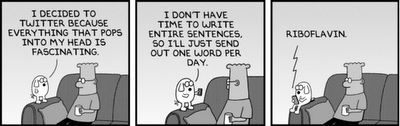
Dilbert - Twitter

One thing you may have noticed with the slides is they act as an information funnel. They begin quite general and narrow down to pin-point the actual application of the concepts in real-world terms (i.e. what work actually needs to be done to make it all happen).

Read part 2: Basic Social Media Strategy - Part 2 (Facebook).

Download the PowerPoint presentation.

Join RSS FeedSubscribe to RSS Feed.

25 June, 2010

SEO 101 - What to Tell Non-technical Clients

Explaining the absolute basics of SEO to non-technical clients

This article was born as a result of a question I'm often asked by clients. The question is usually along the lines of "how do I get my site to rank well on Google?" People generally know SEO is important, but they often don't understand how it relates to their own website.

A caveat before I go any further; I do take some creative license when explaining SEO. The liberties I take may cause a web developer to say "hey, that's not strictly accurate". Please keep in mind my explanations and examples are designed for lay people, not a lecture hall full of computing students.

Sometimes to answer a question you have to take a step back (in order to provide context). I believe this is the case when explaining SEO. Once a decent foundation is laid, the chances for an explanation to sink-in improve greatly.

So where do you begin when a client asks "how do I do SEO on my website?" As technology suppliers we often take for granted just how comfortable we have become with the web. Living in an online world can almost become second nature for some of us. This is the first key when explaining SEO to someone new to the topic - don't assume they're as comfortable with technology as you are.

Words that WorkThe second rule may seem obvious, but it should be stated none-the-less; you don't want to be condescending when explaining SEO. There definitely is an art to teaching without making someone feel stupid. The specifics of this are beyond the scope of this article, but a good starting point is a book by Frank Luntz called Words that Work (it's about marketing and how successful communication is achieved).

A good place to start is by identifying the two major aspects of SEO: on-page and off-page SEO. Much of what happens with on-page SEO is controlled by the web developer. When a website is being created the idea is to code pages in a way which 'pleases' Google.

Google periodically comes along and spiders every website it can find (nb. sites generally have to be submitted to Google for indexing). Spidering is the process by which Google trawls through all the pages it can reach and catalogues them for searching purposes. The amount of time between spidering can vary from weeks (for a new website) to hours (for a popular website).

You won't be able to explain all the techniques available for achieving good on-page SEO, you would be there forever if you tried. Instead, you need to give a couple of examples. Examples are paramount when attempting to explain a topic that's completely new to a person. For instance, you could say page titles need to be unique and descriptive. If a website has details about a cell phone, a page title like 'Nokia N97 mini' would be better than 'Cell Phone Specs'.

This is a good point at which to make a distinction between what a developer does to achieve good on-page SEO and what a client needs to do. Arguably the most important concept to discuss is keyword richness. Again, this is best conveyed with a simple example. You could make-up a scenario about a website which sells hammers. In one version of the scenario the website's homepage has the following text: "our hammers are made with the finest materials. They are award winning and manufactured at our plant in Belgium". The other version of the text would read as follows: "our hammers are manufactured with the finest materials. Winner of the 2009 best hammer award and created at our factory in Belgium especially designed for producing the best hammers in the world". Notice how many more times the word 'hammer' is used in the second version. The name of the product (or service) being promoted should be mentioned on the website as often as possible - within reason. Be sure to warn of the dangers of keyword-stuffing. Going overboard with keywords could actually have a detrimental effect on search engine ranking (i.e. Google can actually detect when someone is over using keywords on a page).

If you wanted to recommend a simple on-page SEO strategy for increasing traffic, you could suggest providing 'value add' information. This would be information which may not be directly related to the client's business making money, but which would be helpful to their customers. For example, if the client sells bikes, they could provide maps of cycling tracks around the local area. Each time a person comes to the site for track information, there is the potential to show them products available for purchase.

To explain off-page SEO, you could start by saying it's about getting the word out there, getting known on the Internet. The more websites that talk about you, the more you move up in Google's ranking. Also, it's better to be name-dropped by a 'relevant' website than one that has nothing to do with your industry.

What do I mean by relevant? By way of comparison, imagine you have a bike store; if another bike shop refers to you, that carries more weight than say a furniture manufacturer referring to you. Google is aware of logical similarities, it 'knows' that tables and chairs have little to do with bikes.

Being name dropped by someone prominent and relevant is what's needed for good ranking. The trick is figuring out ways to get other related, preferably high-profile, websites to mention your website. Obviously, a direct competitor won't want to mention you on their website (that wouldn't make sense), but someone who would benefit from mentioning you would. For example, a tourism related website may be very interested in talking about you if you own a motel and are running a special offer.

dilbert - seo

In simple terms, it boils down to this: if everyone is talking about you on the web, than you must be the best source of information for your chosen area. If you are the 'go-to' person for your industry, Google will direct people to your website. After-all, Google only succeeds as a search engine if it's sending people to the right place.

Join RSS FeedSubscribe to RSS Feed.

14 June, 2010

Why Users Demand a Top-Notch Interface These Days

How UI and usability are changing the focus of software development.

Let's take a trip down memory lane. I knew years ago I wanted to be involved in UI design. Back at university I enjoyed making 'pretty interfaces', and for some reason had an inexplicable ability to retain information about design patterns. Sometimes my aptitude for UI design gave people the impression that it came easy to me, but like most people who've gotten good at something, there's a lot of hard work behind it all. The truth of the matter is that the skills had to be refined with long hours of research, reading, experimentation, and most importantly doing interface design.

By far, experience has been my biggest teacher. I've learned that it's 'not done until it's done'; if a UI design has to go though 14 revisions - so be it (and this has happened to me!). If something can be done with 2 clicks instead of 3, than that's my goal (than, I start thinking about how it can be done with just 1 click). I could tell years ago that companies would one day be scrambling for people with Interaction Design (IxD) skills. When software development began shifting away from desktop applications and towards web-based systems, it was clear a fundamental change was on its way (in terms of how we use computers). A number of other trends gave strength to this revolution, including; pervasive broadband uptake, mobile/wireless broadband becoming reasonably priced, and Apple consistently changing peoples' technology-use behavior.

The World is Flat (book cover)One of the driving forces behind this fundamental shift was surely everyone getting access to low-cost 'always on' broadband. Without this, it simply could not have happened. If you've had the pleasure of reading Thomas Friedman's The World Is Flat, you'll see that the reason we ended up with pervasive broadband was partly due to the optic fiber 'fire sale' which took place after the dot com crash. In a nutshell; what happened was businesses invested heavily in expensive optic fiber cable. Then they went broke and were forced to sell their assets. Other companies came along and snapped up all this cheap cable at a bargain price (which in turn, they passed on the savings to customers).

Technology wasn't the only catalyst for change. Another big factor was the shift towards the Application Service Provider revenue model. Finally the industry had found a way to stop software piracy dead in its tracks (i.e. host the software online and get users to pay a subscription fee for access to the service).

Personally, I think that thanks to companies like Microsoft, Google, and Apple the average Internet user has become spoiled rotten in terms of the UI and user experience they expect. The bar has been set very high, but people don't appreciate that Google and others pour millions of dollars into their interface design efforts. People now expect this level of quality from all their Internet enabled software. This is probably a good thing since it forces companies to produce software the way it should be; designed for normal human beings, self-evident (i.e. no manual required), and suitable for a broad audience.

So why is it that Internet users demand such high standards from their online software today? I'd say it's because 'doing things online' has become a cultural norm, or even a borderline necessity. Gone are the days when paying bills online or booking airline tickets was something only nerds did. Would you not look at a colleague sideways if they said "I'm just popping down to the post office to pay a bill" (as opposed to paying it online)? The reality is people still are clinging to the old way of doing things (e.g. people still physically go down to the bank).

The next stage of 'doing things online' could coincide with the dissolution of the traditional outlets of commerce. For instance; there are ISPs now who expect you to sign-up online, and they only accept payment via automated electronic mechanisms (e.g. monthly direct debit). Is it so far-fetched to think that in the not too distant future we will be voting in elections via a website?

The media has also played a pivotal role in this transition. Notice how every poster at a bus stop these days has the Facebook and Twitter logo on it? Mainstream media's ability to shape social habits shouldn't be underestimated.

Dilbert - confusing user interfaces

As more of the traditional physical outlets of commerce disappear in favor of their lower-cost online variants, it's as though the general public is being forced to do things online. If that really is the case, than the number of non-tech savvy users will skyrocket. This is what causes the demand for high quality interfaces, because large numbers of people who wouldn't normally do things online are beginning to convert. The companies that can deliver ease of use will no doubt prosper whilst those slow adapt will fall by the wayside.

Join RSS FeedSubscribe to RSS Feed.

14 April, 2010

Conducting a Tech Briefing Session

Reviewing the spec with programmers before they code.

A business analyst or project manager often gains a deep understanding of a client's business during the scoping phase. Probing questions during this process create a contextual back-drop for the project. Why is context so important? Because it makes you care, otherwise it's just another IT project. Having context mixed with experience and intuition results in the right questions being asked. If these questions aren't asked early on, trouble may ensue later down the track. For example, a paper-based task which the client takes for granted may in fact be a technical nightmare to implement (potentially jeopardizing the feasibility of the project).

Unfortunately, programmers often miss-out on this context. Developers are stuck in the office cutting code whilst analysts are out hobnobbing with clients. It would be unrealistic to expect programmers to attend all these client scoping meetings, if they did than who'd be back in the office doing the actual work? This is not even factoring in that documenting requirements is a particular skill-set, something a programmer may not have cultivated by this point or even be interested in.

The standard in most teams is to relay requirements to developers via specification documents. Whether that's a separate functional and technical spec, or just one document, in either case this document forms the basis by which a programmer turns concept into reality. But handing a spec to a programmer and saying "here, code this" isn't enough in my opinion. A spec often won't have context, sure, user cases help a lot, but they can often be limited, and a printed spec doesn't answer questions a programmer may have.

This is where a technical briefing comes in to fill the gap. The attendees would be the project manager, the business analyst, and any programmers who have been assigned tasks on the project. As to how much time will be needed, that depends on how big the spec is. What you are doing is going through the spec screen by screen, reviewing each interface in detail, discussing underlying functionality, stopping to answer questions, and providing contextual background which may be missing from the spec (e.g. what the client's business does, what systems they currently have in place, etc).

What's wrong with just giving programmers the specification and asking them to read it - you do trust your developers don't you? This is an important point; a briefing meeting may send the message that you lack faith in your technical team. The meeting does seem like a hand-holding exercise. Personally, I hate taking any action as a PM which diminishes a developer's chance for self-autonomy. But I hate failing at a project even more.

At the end of the day, if you hand a spec to a programmer and say "here, read this", they may very well read it. Or they may not. A programmer's primary focus is to cut code. They may be over-worked and under pressure themselves. Sending programmers in to code without arming them with context is like sending your troops to capture a machine gun bunker without weapons. They are part of the team, so why wouldn't you do everything in your power to set them up for success?

Another reason to undertake technical briefing sessions is because of the impact it will have on the type of bugs logged during the QA cycle. Without a tech briefing session, you will find a significant amount of bugs being logged for missed features (i.e. features in the spec which weren't coded). When enough 'missed feature' bugs are logged, you can start to deduce a pattern. A pattern that indicates that the programmer didn't absorb enough of the specification - they may have read it, but it just didn't sink in.

Once inside a tech briefing meeting, programmers can't escape; they have no choice but to sit there and absorb the business domain. A tech briefing done right will drastically reduce bugs which occur because of blank areas in a programmer's understanding of the system (anecdotal proof for this can be found during the project post-mortem bug analysis). The time alone spent on not having to fix these kinds of bugs makes up for the time the programmers spend in the meeting.

So is a technical briefing session just about not trusting programmers? No, it isn't. It's also about buy-in and caring. If programmers care about a client's business, they are more likely to do a good job. As I mentioned earlier, a BA or PM has had the benefit of many meetings with a client, a programmer hasn't. The tech briefing session gives you the opportunity to transfer some of this knowledge to the technical team. It's likely you will be able to condense this knowledge and feed it to programmers at a more concentrated level.

A typical agenda for a technical briefing would look something like this:

10.00am - 10.05am: greetings and hellos (Everyone)
10.05am - 10.20am: background on client's business (PM/BA)
10.20am - 11.20am: screen-by-screen review of wireframes (PM/BA)
11.20am - 11.45am: programmer Q&A session (Programmers)

The real magic happens during the screen-by-screen wireframe review. This is where you can inject a great deal of unseen detail. You can spend a few minutes talking about the rationale behind a particular screen. This could be a big deal because without it, a programmer could be looking at a complex wireframe and not even realize how critical it is to the operation of a business.

In terms of location and format for the meeting, ideally you would want to book the board room for a couple of hours, but if that's not available, any quite room away from computers will do. If you can get your hands on a projector to display the mock-ups for everyone to see, great. If not, big A3 color print-outs of the mock-ups will do. Should programmers be required to take notes during the meeting? I don't think so, leave it up to them to note down whatever they want. The main point is for them to listen rather than bury their heads in a notepad or laptop.

Dilbert - tech briefings

The sort of returns you can expect from conducting a tech briefing session aren't realised until the end of the project. The time you spend early on relaying context to developers will more than pay for itself later down the track. Programmers won't need to approach BAs or PMs as often to ask questions, they probably already asked the question during the Q&A segment of the briefing meeting. Fewer bugs related to missed features will be logged, and programmers are less likely to make bad assumptions about ambiguous features considering they have some understanding of the business rationale behind their work.

Join RSS FeedSubscribe to RSS Feed.